
Security Camera Installation in San Jose CA – Placed, Aimed & Connected
Security cameras planned around what you need to see, mounted at the right height, aimed for day and night, and connected to your recorder, with every view confirmed before installation sign-off.
Security camera installation is part of our security infrastructure service. We handle commercial security system installation for offices, warehouses, retail spaces, parking lots and multi-tenant buildings across San Jose and neighboring cities.
- California C-7 telecom license (CSLB #[NUMBER])
- Indoor, outdoor and pole cameras
- Day and night checks
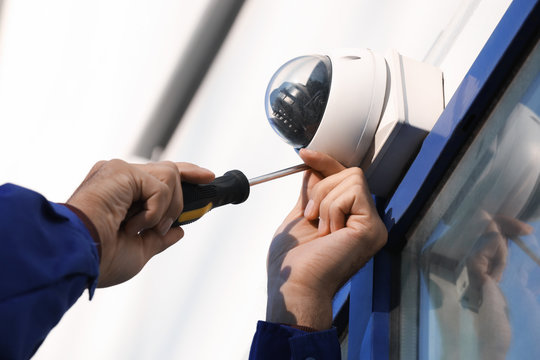
Commercial Security Camera Services in San Jose
From planning to a live image on every view, each installation is handled by our own San Jose team.
Coverage planning
A walk-through of entrances, parking, docks and interior areas to decide where each unit goes and what it needs to see.
Mounting
Cameras mounted on walls, ceilings, parapets, soffits and poles with the right brackets and weather-sealed back boxes for a clean installation.
Aiming and focus
Each view set for its purpose, such as faces at a door or plates at a gate, framed so motion alerts trigger where they should, and checked day and night during installation.
Recorder connection
Cameras connected to PoE network switches and your recorder, with a live image confirmed on every view across connected systems.
System upgrades
Old analog security systems replaced with IP models, reusing existing cable where it tests good.
Cabling included
New runs pulled and tested as part of each installation. See our security camera cabling page for details.
Need access control, intercoms or a full security closet too? See our complete security infrastructure service.
Security InfrastructureChoosing the Right Camera Types for San Jose Sites
Each style suits different spots.
| Type | Strengths | Typical locations |
|---|---|---|
| Dome | Low profile and harder to tamper with | Lobbies, hallways, retail floors |
| Bullet | Visible deterrent, long-range views | Building exteriors, fence lines |
| Turret | Easy to aim, good night vision | Entrances, docks, parking areas |
| Multi-sensor / panoramic | One unit covers a wide area | Parking lots, warehouses, intersections of hallways |
| PTZ | Pan, tilt and zoom on demand | Large yards and campuses, usually alongside fixed cameras |
We install the models you or your integrator choose, or help you pick styles that fit each location in your commercial installation.
Camera Placement That Captures What Matters in San Jose
Good footage comes from good placement, not just more cameras.
Right height
High enough to discourage tampering, low enough to capture faces rather than the tops of heads.
Lighting
Views planned around backlit doorways, glare and dark areas, using wide dynamic range or infrared where needed.
Overlapping coverage
Entrances, exits and cash or inventory areas covered from more than one angle.
Privacy
We don’t place units in restrooms or changing areas, and we mask views of neighboring property when asked.
California restricts recording private conversations without consent, so most business security installs are video-only. Check with your legal advisor before enabling audio or adding signage requirements to your policy.
Where We Install Cameras in San Jose
Common projects across San Jose and the surrounding cities.
Offices
Entrances and lobbies
Cameras on doors, reception and server rooms to see who comes and goes, often alongside alarm systems.
Warehouses
Docks and inventory
Security cameras covering loading docks, aisles and yards at commercial sites to track shipments and deter theft.
Retail and showrooms
Sales floors and registers
Discreet domes over registers and high-value displays in commercial spaces.
Parking lots
Pole cameras
Pole-mounted and multi-sensor security cameras covering lots and gates.
Our San Jose Camera Installation Process
Six steps from site walk to a documented installation hand-off.
Site walk
We review what you need to see, light levels, mounting surfaces and where your recorder lives.
Camera plan
Locations, styles and fields of view are marked on a floor plan with an itemized installation estimate.
Cable and prepare
Runs are pulled and tested, and back boxes and brackets are set, ready for installation.
Mount and connect
Units are mounted, sealed and connected to switches and the recorder.
Aim and verify
Each view is aimed, focused and checked in daylight and at night.
Hand off
You get a camera map and labeled ports, and recording settings for the system are confirmed with your IT team or integrator.
Security Camera Installation FAQs for San Jose
Quick answers to the questions we hear most.
Do you supply the cameras?
We can install equipment you’ve already bought or install your integrator’s selection. Ask us about sourcing options for your project.
Can you replace our old analog cameras?
Yes. We can swap to IP models on new Cat6 or reuse working coax with HD-over-coax models or adapters, the same as any professional security upgrade.
Can we view cameras on a phone?
Most recorders and video platforms offer a mobile app. Remote viewing is set up by your IT team or integrator so it stays protected.
How long does an install take?
Small offices often take a day or two. Larger San Jose sites with poles or new conduit take longer, and installation is scheduled in phases. As a low voltage contractor, we coordinate any new electric circuits with your electrician.
Related San Jose Services & Nearby Cities
Explore related pages, our other services, and the nearby cities we cover.
Nearby cities we serve
We also serve these 10 neighboring cities. Pick yours to see local service details.
Request a San Jose Security Camera Quote
Tell us how many cameras you need, where they go and what recorder you use. We’ll return an itemized estimate covering equipment, mounting, cabling, labor and setup for your business.
C-7 Licensed Installer & Contact Details
San Jose Telecom Techs97 E Brokaw Rd, San Jose, CA 95112
Email: [email protected]
What to include in your request
- Number of cameras, indoor and outdoor
- Areas you need to see
- Existing alarm, system or recorder, if any
- Models, if already chosen
- Target completion date